
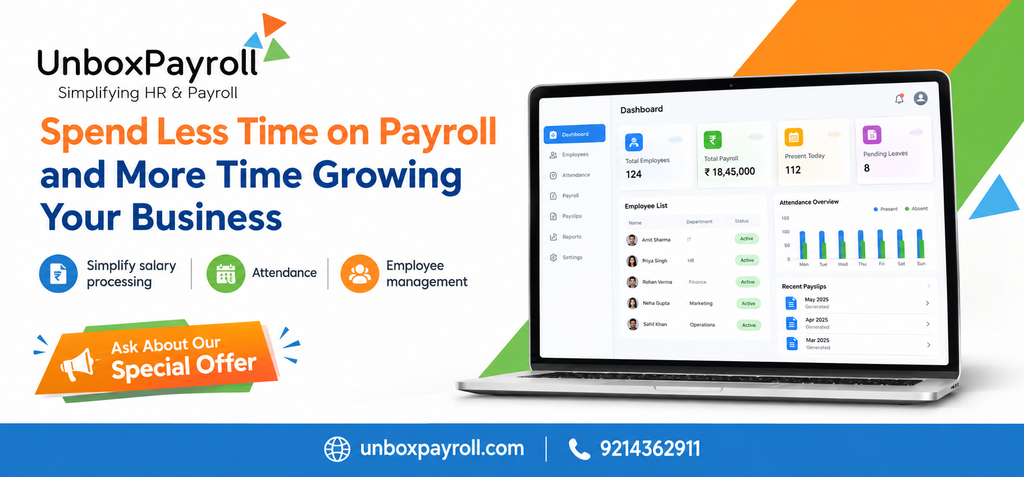
Payroll can take up more working hours than a business expects. Every month, HR and finance teams must collect attendance information, verify salary components, account for approved leave, calculate deductions, prepare payslips, and check the final figures before salaries are processed. When these activities depend on spreadsheets and manual calculations, even a small discrepancy can lead to additional checks and delays.
The problem becomes more noticeable as a company hires more employees. What once took a few hours may turn into a recurring administrative task that competes with recruitment, employee management, financial planning, and customer commitments.
Payroll software in Jaipur can help businesses organize salary processing, automate supported calculations, maintain payroll records, and reduce repetitive administrative work. The objective is not simply to finish payroll faster. It is to establish a dependable process that helps employees receive accurate salaries while giving business owners and HR teams more time for important operational priorities.
For companies in Jaipur, choosing the right system means understanding how payroll works within the business, which tasks create the most delays, and which software capabilities can address those problems.
Why Manual Payroll Becomes Difficult as a Business Grows
Manual payroll can appear manageable when a company has a small workforce and relatively straightforward salary structures. However, the process becomes more complicated when employee numbers increase, salary arrangements change, or attendance information arrives from different sources.
Repeated calculations consume working hours
Payroll teams often need to calculate earnings, account for unpaid leave, apply deductions, and verify variable salary components. If these calculations are performed separately for every employee, the workload increases with each payroll cycle.
Spreadsheets may help organize the information, but they still depend on accurate formulas, updated employee records, and careful handling of changes.
Payroll software can reduce repetitive calculations when the relevant salary components and rules have been configured correctly. Instead of rebuilding the same process each month, the team can review calculated results and investigate exceptions.
Missing information creates avoidable delays
Payroll cannot be finalized confidently when attendance records are incomplete, salary changes have not been approved, or employee details are outdated.
In a manual process, HR may need to contact managers, check email conversations, and compare multiple files before resolving these issues. A structured workflow can help identify missing inputs earlier and establish clear deadlines for submitting payroll information.
Corrections create additional administrative work
An incorrect deduction or an outdated salary figure may require the team to investigate the cause, revise the calculation, update records, and communicate with the employee.
The best way to reduce these corrections is to improve the process that produces payroll, rather than relying entirely on last-minute checks. Accurate employee data, consistent calculation rules, and appropriate approval controls all contribute to more dependable results.
How Payroll Software in Jaipur Simplifies Salary Processing
Payroll software helps businesses manage recurring salary calculations and related documentation through a structured digital process. Depending on the solution, it may also support attendance inputs, tax calculations, employee payslips, payroll reports, and records of salary deductions.
1. Automating recurring salary calculations
A payroll system can use configured salary structures to calculate recurring earnings and deductions. This can reduce the need to enter the same information into separate spreadsheets every month.
For example, an employee may receive a fixed salary along with eligible allowances and approved variable earnings. A configured system can help calculate the relevant components, provided the employee details and applicable rules are correct.
Automation does not remove the need for verification. HR and finance teams should review unusual changes, confirm relevant inputs, and investigate discrepancies before finalizing payroll.
2. Coordinating attendance with payroll
Attendance is an important payroll input because working days, approved leave, and other attendance-related adjustments may affect salary calculations according to company policy.
When attendance and payroll are managed separately, teams may need to transfer information manually and check whether the figures match.
A system that supports both functions can help reduce duplicate entry and improve coordination. Before purchasing, confirm which attendance sources are supported, whether the relevant data flows into payroll, and how exceptions are reviewed.
3. Organizing salary deductions and components
Employee salaries may include several earnings and deduction components. Depending on the employee’s circumstances and applicable requirements, payroll may involve tax deductions and other statutory contributions.
A suitable system should allow businesses to configure the relevant components and apply the correct rules to eligible employees.
Unbox Payroll’s published features describe earning and deduction categories, payroll processing, and modules relating to PF, ESI, TDS, and professional tax.
Businesses should verify how each module works, which calculations and reports are supported, and whether additional professional review is needed. Software functionality alone does not establish that every legal obligation has been met.
4. Preparing payslips and payroll records
Preparing payslips and maintaining payroll registers are recurring responsibilities. Manual preparation can become time-consuming, particularly when employees request copies or finance teams need reports for internal review.
Payroll software can help generate supported documents and organize salary information in a consistent format.
Unbox Payroll lists salary slips, certificates, registers, and payroll reporting among its published capabilities.
When evaluating a system, check which documents can be generated, whether reports can be exported, and how access to confidential salary information is controlled.
5. Reducing routine payroll queries
Employees may contact HR to request payslips, confirm salary details, or ask about payroll documents. Handling each request individually interrupts other work, particularly during busy payroll periods.
Where available, employee self-service can give staff direct access to supported documents and information. This can reduce repetitive requests while allowing HR to focus on questions that require explanation or investigation.
The benefit depends on what employees can access, how permissions are configured, and whether the organization communicates the process clearly.
Why HR and Payroll Software in Jaipur Can Be More Useful Than a Standalone Payroll Tool
A standalone payroll system primarily addresses salary processing. HR and payroll software in Jaipur may offer broader value when it connects payroll with employee records, attendance, leave management, and other related activities.
This distinction matters because payroll rarely operates independently of HR.
For instance, a change in an employee’s salary must be recorded correctly before it affects payroll. Approved leave may influence salary calculations under company policy. An employee’s exit may require the business to review final salary, outstanding adjustments, and relevant documentation.
When these activities are handled through disconnected systems, the same information may need to be collected and checked repeatedly.
An integrated solution can coordinate these workflows where the relevant features are supported. However, businesses should confirm that the functions are genuinely connected rather than assuming that every advertised module automatically shares information.
Make payroll responsibilities easier to manage
A well-defined payroll workflow should identify who provides the inputs, who approves changes, who reviews calculations, and who authorizes final processing.
Software can help organize these responsibilities through available user permissions and approval features. Clear ownership reduces confusion when information is missing or a correction is needed.
Give management better visibility into payroll
Payroll reports help businesses review salary expenses, understand changes between payroll periods, and maintain records for internal financial processes.
Reports may include salary registers, employee-wise salary details, and relevant deduction information, depending on the system.
These records are useful when management needs to understand payroll costs or investigate an unexpected change. Businesses should select reporting options that support their actual review requirements rather than paying for features they do not need.
How to Choose the Best Payroll Software in Jaipur
The best solution is not necessarily the one with the largest feature list. It is the one that fits the organization’s workforce, payroll structure, internal controls, and budget.
Before choosing a provider, evaluate the following factors.
Understand your current payroll problems
Begin by identifying which activities take the most time each month. These may include attendance reconciliation, salary calculations, deduction verification, payslip preparation, or responding to employee questions.
Document the current process and note where delays or repeated corrections occur. This creates a practical checklist for comparing software.
Check support for your salary structure
Different businesses calculate employee compensation differently. Some have fixed salaries, while others manage allowances, incentives, overtime, variable pay, or employee-specific deductions.
Ask the provider to demonstrate how the system handles the salary components relevant to your organization. Check whether changes can be reviewed and whether calculation rules can be configured appropriately.
Review reporting and approval controls
Confirm that the system produces the payroll reports your finance and HR teams require. Ask how authorized users review payroll calculations, correct mistakes, and approve changes.
Appropriate review controls are important because faster calculations are useful only when the resulting figures can be checked and trusted.
Evaluate security and access permissions
Payroll information is confidential. Salary records, tax details, and employee documents should be accessible only to authorized people.
Review user permissions, authentication arrangements, backup practices, data handling policies, and available security documentation before making a decision.
Consider implementation, support, and total cost
The subscription price does not necessarily represent the complete cost of using payroll software.
Businesses should ask about setup fees, employee limits, additional-user charges, implementation, training, support, and required integrations. They should also understand how payroll data will be migrated and how the team will be trained.
A product demonstration using realistic payroll scenarios can help reveal whether the solution is practical for everyday use.
Why Online Payroll Software in Jaipur May Suit Growing Businesses
Online payroll software in Jaipur may be suitable for businesses that want authorized access to payroll information without depending entirely on a single office computer or manually circulated files.
Depending on the provider, an online platform may allow HR personnel and managers to access payroll records, review reports, and complete supported tasks through a web-based system. Employee self-service may also make payslips and other documents easier to access.
However, online access should not be the only selection criterion.
Businesses should consider:
- Access and availability: Can authorized employees access the functions they need when required?
- Data protection: How are payroll records protected, backed up, and made available to authorized users?
- Workforce size: Can the software support current employee numbers and anticipated growth?
- Operational fit: Does it support the company’s payroll calendar, salary components, and approval process?
- Support: Is assistance available when payroll issues need to be resolved?
These considerations are relevant to startups, SMEs, and larger organizations alike. The right system should simplify existing work without introducing unnecessary complexity.
Payroll Considerations for Businesses in Jaipur
Businesses operating in Jaipur must manage payroll according to their employee arrangements, applicable Indian requirements, and relevant organizational policies.
Depending on the circumstances, payroll may involve provident fund contributions, employee state insurance, tax deductions, professional tax where applicable, and other employment-related obligations.
Requirements can vary according to the applicable law, Online payroll software in Jaipur employee eligibility, establishment, and effective dates. Businesses should verify current requirements through authoritative sources and qualified payroll or tax professionals where necessary.
Software can help organize relevant calculations and records, but employers remain responsible for ensuring that the system is configured appropriately and that required reviews and filings are completed.
For a growing business, it is useful to assess compliance-related functionality during the selection process. Ask which calculations, registers, and reports the provider supports, and establish what still requires action by your internal team or professional adviser.
How Unbox Payroll Can Help Organize Payroll Operations
Unbox Payroll offers HR and payroll software with published capabilities covering payroll processing, employee information, attendance and leave management, salary documents, and reporting. Its website also describes earning and deduction categories and modules relating to statutory deductions.
These functions may be relevant to businesses that want to bring recurring payroll activities into a more structured process.
Before selecting the platform, review the available features against your actual requirements. Confirm how salary components are configured, how payroll results are reviewed, which reports are available, and whether the supported workflows match your current processes Know More.
A useful evaluation should answer three questions:
- Which manual payroll tasks will the software help reduce?
- What checks will remain necessary to maintain accuracy?
- Does the solution fit the business’s workforce, reporting requirements, and budget?
Frequently Asked Questions
1. How does payroll software help a business save time?
Payroll software reduces repetitive work by organizing salary information, applying configured calculation rules, and generating supported payroll documents and reports. It can also reduce manual data transfer when attendance and payroll functions are connected. Teams still need to verify inputs, investigate unusual changes, and review payroll before finalization.
2. Is payroll software suitable for small businesses in Jaipur?
Yes. Small businesses can benefit when payroll calculations, employee records, and monthly documentation become difficult to manage manually. The most suitable system should match the company’s employee count, salary structure, budget, and reporting requirements without adding unnecessary administrative complexity.
3. What is the difference between payroll software and HR and payroll software?
Payroll software primarily manages salary calculations, deductions, payslips, and payroll records. HR and payroll software can combine these functions with employee information, attendance, leave management, and other HR activities. The actual capabilities vary by provider, so businesses should verify which modules are included and how they work together.
4. What should businesses check before buying online payroll software?
Businesses should review salary calculation capabilities, attendance workflows, payroll reports, access controls, data protection, implementation support, and total cost. They should also confirm whether the platform supports their required integrations and applicable payroll processes. Testing realistic payroll scenarios during a demonstration helps identify potential limitations.
5. Can payroll software eliminate salary calculation errors?
Payroll software can reduce errors caused by repetitive manual calculations and inconsistent data entry. However, incorrect employee information, outdated calculation rules, and unreviewed exceptions can still produce inaccurate results. Businesses should maintain appropriate verification, approval, and reconciliation procedures even when payroll is automated.
6. How do I know whether my business needs payroll automation?
Consider automation when monthly salary processing requires repeated spreadsheet updates, frequent corrections, extensive attendance reconciliation, or significant time preparing payroll documents. Record the tasks that consume the most effort and compare them against the features offered by potential providers. This helps you identify whether software can address a real operational need.