
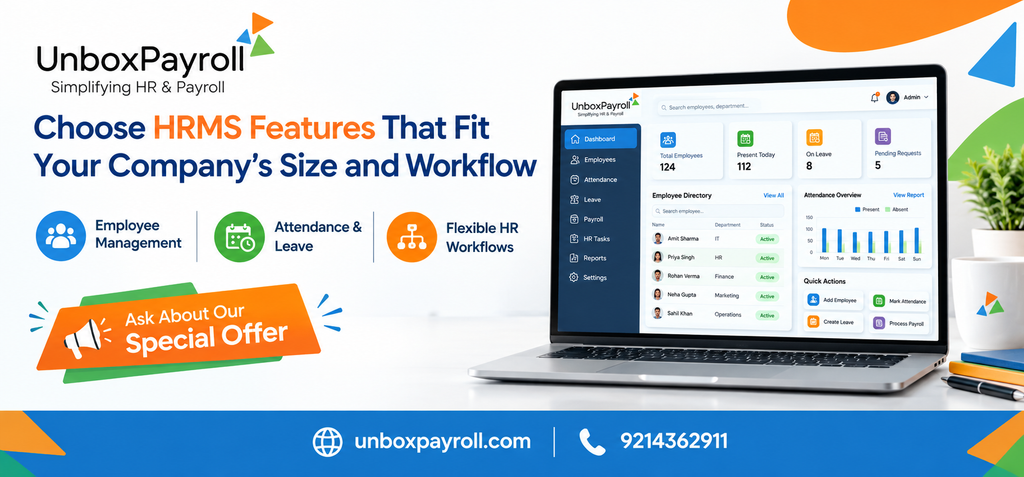
Choosing HRMS features is not about selecting the software with the longest feature list. It is about identifying the tasks that consume your team’s time, the information your business needs to manage reliably, and the processes that will become more complicated as you grow.
For a small business, maintaining employee details, tracking attendance and managing leave may be the immediate priorities. A growing company may also need structured approval workflows, employee self-service, payroll coordination and detailed reports. Larger organizations often require stronger controls, clearly defined responsibilities and consistent processes across teams or locations.
For businesses looking for HRMS software in Jaipur, the practical starting point is to assess how HR work is currently handled and choose features that address real operational needs. The right system should make everyday activities easier without adding unnecessary complexity.
Why HRMS Features Should Match Your Company’s Size
An HRMS, or Human Resource Management System, brings employee information and selected HR processes into a centralized system. Depending on the software, it may support employee records, attendance, leave, payroll processing, employee self-service and reporting.
However, different businesses need different combinations of these features.
A startup with a small team may have a straightforward approval structure and limited reporting requirements. A company with several departments may need different leave approvers, more detailed attendance records and reliable access to employee information. A larger organization may need standardized workflows and greater control over who can access or update records.
The objective is to find a system that fits your current operations while allowing room for future requirements.
Essential HRMS Features Every Business Should Evaluate
Before comparing vendors, identify the features that solve your most frequent administrative problems.
1. Centralized Employee Records
Employee information often becomes scattered across spreadsheets, email conversations, paper documents and individual files. This makes it harder to locate current information and maintain consistent records.
An HRMS with employee data management can provide a central place to organize information such as employee details, department, joining date, job information and other relevant records.
When evaluating this feature, check whether the system allows authorized users to update information easily, retrieve records efficiently and maintain appropriate access controls.
Best suited for: Businesses that are expanding their workforce or spending too much time maintaining employee records manually.
2. Attendance and Working-Time Management
Attendance management becomes increasingly important when a business has multiple teams, different working arrangements or a growing number of employees.
A useful attendance module should help the HR team review attendance records, identify absences and reconcile working-time information before payroll is processed. Businesses should also examine how the software handles their specific attendance policies and approval procedures.
For example, if an employee’s attendance record is incomplete near the end of the month, the HR team should have a clear process for reviewing and correcting it before salary calculations are finalized.
Ask vendors whether their system supports your required attendance methods, shift arrangements, devices and integrations. Do not assume every HRMS supports every attendance setup.
Best suited for: Companies where attendance corrections, manual timesheets or inconsistent records create additional work.
3. Leave Management and Approval Workflows
Leave management is more useful when requests, approvals and leave balances follow a defined process rather than being handled through scattered messages.
Look for features that let employees submit leave requests, enable designated managers to review them and help HR maintain reliable leave records. Check whether leave categories, approval levels and company policies can be configured to match your operations.
A small company may need only a simple approval process. A larger organization might require department-specific approvers or additional checks.
The important question is whether the software supports the way your organization actually manages leave.
4. Payroll Coordination and Salary Records
HR and payroll processes depend on several shared employee details. Attendance, leave, salary components, deductions and employee changes can all affect payroll administration.
An HRMS with suitable payroll capabilities can help bring these processes together, reducing repeated data entry and making it easier to review records before salaries are finalized.
Check whether the solution supports your salary structure, earning and deduction components, payslip generation and the payroll reports your finance team needs. Also confirm how payroll adjustments are reviewed and who can approve them.
For Indian businesses, statutory calculations and reporting require particular attention. Confirm that the software supports the requirements applicable to your organization, and ensure that qualified personnel review payroll and compliance outputs.
Best suited for: Businesses that want HR records and salary administration to work together instead of relying on separate, disconnected files.
5. Employee Self-Service
Employee self-service allows employees to complete selected tasks without asking HR to handle every request manually.
Depending on the platform, employees may be able to access payslips, view relevant information, update personal details or submit leave applications. These capabilities can reduce routine queries and give HR professionals more time for work that requires their attention.
Before selecting a system, review the employee experience on desktop and mobile devices. Ask which actions employees can perform themselves, which changes require approval and how access to sensitive information is controlled.
Unbox Payroll lists an Employee Self-Service portal for employee information, payroll documents and leave requests among its published features.
6. Reports and Management Insights
Reports help businesses turn stored information into something they can use for operational decisions.
Depending on the available reporting features, an HRMS may help managers review attendance, employee records and payroll-related information. The usefulness of these reports depends on whether they answer questions that matter to the business.
For example, HR may need an employee-wise attendance report to investigate discrepancies, while finance may need salary registers to support payroll review and reconciliation.
When evaluating reporting capabilities, ask:
- Can authorized users generate the reports they need without extensive manual work?
- Can reports be filtered by relevant employees, departments or periods?
- Are the required payroll and attendance reports available?
- Can data be exported in formats used by your finance or management teams?
Avoid paying for sophisticated analytics if your team mainly needs straightforward operational reports. Equally, do not overlook reporting if management regularly depends on manual spreadsheet preparation.
Which HRMS Features Fit Different Business Sizes?
Employee count is a useful starting point, but it should not be the only factor. A small business with complicated shifts may need stronger attendance management than a larger company with a simple working schedule.
Use the following comparison as a starting framework rather than a fixed rule.
| Business stage | Features to prioritize | What to check |
| Startup or small team | Employee records, leave management, basic attendance and essential payroll functions | Ease of use, setup effort and total cost |
| Growing small or medium business | Attendance controls, approval workflows, employee self-service, payroll coordination and reports | Ability to handle increasing workloads and more structured processes |
| Larger or multi-location business | Standardized workflows, role-based access, detailed reports and support for complex attendance or payroll arrangements | Scalability, configuration options, integrations and governance |
A growing business should also consider what its processes may look like in the next few years. Replacing software because it cannot accommodate predictable changes can create avoidable migration and training work.
At the same time, purchasing a highly complex system before the organization needs it can increase costs and make adoption more difficult.
How to Evaluate Online HRMS Software in Jaipur
Businesses comparing online HRMS software in Jaipur should look beyond the convenience of accessing a platform through the internet. The system also needs to fit their workflows, data-handling requirements and support expectations.
Check Whether the Software Fits Your Existing Process
Write down how employee information is collected, how leave is approved, how attendance is reviewed and how payroll data reaches the finance team.
Then compare those steps with the software’s actual capabilities. A product demonstration should show realistic tasks rather than only displaying its dashboard.
Review Access Controls and Data Handling
Employee records can contain confidential personal and employment information. Ask how user permissions work, how access is managed when employees change roles and what safeguards are available for protecting company data.
Also clarify backup arrangements, data export options and the process for retrieving records if you later change providers.
Understand Setup, Training and Support
A feature is useful only when the people responsible for using it can operate it correctly.
Ask what is included in implementation, whether existing records can be migrated, how workflows are configured and what training is provided. Confirm the available support channels and expected response arrangements instead of assuming they are identical across vendors.
Compare Total Cost, Not Just the Starting Price
Software pricing may depend on employee count, selected modules, setup services, integrations, support arrangements and billing terms.
Request a clear breakdown of recurring and one-time charges. Also consider the internal time required for implementation, training and maintaining accurate records.
The most suitable option is not necessarily the one with the lowest advertised price. It is the one that provides the required capabilities at a cost the organization can justify.
HRMS Considerations for Businesses in Jaipur
Companies operating in Jaipur may have different workforce requirements depending on their industry, working arrangements and stage of growth. An office-based startup, a service business and a company with shift-based employees will not necessarily need the same HRMS configuration.
Before choosing a solution, consider whether it can accommodate:
- Your current employee count and expected hiring plans.
- The attendance and leave policies used by your organization.
- Your salary structures and payroll review process.
- The reports required by HR, finance and management.
- Applicable Indian employment, tax and statutory obligations.
- The level of employee and manager self-service your team is ready to adopt.
Local relevance should also mean practical support for your business—not simply a product page containing the name of the city. Confirm implementation arrangements, support availability and the system’s suitability for your actual requirements.
When comparing the best HRMS software in Jaipur, focus on demonstrated capabilities, transparent costs and the quality of the fit between the system and your processes. Vendor claims alone are not enough.
Common Mistakes to Avoid When Selecting HRMS Software
Even a feature-rich platform can be a poor choice if the selection process overlooks everyday operational needs.
Choosing based only on the number of features: A long list does not guarantee that the features your team needs will work the way you expect. Prioritize practical requirements first.
Ignoring employee adoption: Complicated screens and unclear processes can discourage employees and managers from using the system consistently. Include representative users in the evaluation.
Overlooking payroll dependencies: Attendance, leave and employee changes may affect salary processing. Test how information moves between these processes and where human review is required.
Failing to check reporting requirements: Confirm that the system produces the specific records and reports your HR and finance teams rely on.
Buying without considering growth: Review how pricing, configuration and administration may change as employee numbers or organizational complexity increase.
Assuming software replaces compliance review: Software can support calculations, recordkeeping and reporting, but the organization must still verify that its configuration and practices reflect the laws applicable to it.
How Unbox Payroll Can Support HR and Payroll Operations
Unbox Payroll provides HR and payroll capabilities that businesses can evaluate against their operational needs. Its published feature information includes employee data management, attendance tracking, leave management, employee self-service, payroll processing and reporting, along with payroll-related records and statutory modules.
These features may be relevant to businesses that want to organize employee information and coordinate routine HR and payroll activities through a more structured system.
The right next step is to compare the platform with your own requirements. Prepare a shortlist of essential features, identify any necessary integrations or workflow conditions, and ask for a demonstration of the tasks your team performs most often Know More.
Conclusion: Choose Features That Solve Real HR Problems
Selecting HRMS software is easier when the decision begins with your workflow rather than a vendor’s feature list. Start with employee records, attendance, leave and payroll requirements. Then consider self-service, reporting, access controls and the additional capabilities your business may need as it grows.
For businesses evaluating HR software in Jaipur, the best fit is a system that supports current operations, can accommodate realistic future needs and remains manageable for the people who use it.
Unbox Payroll is one option to assess as part of that process. Review its published capabilities, compare them with your requirements and request a demonstration if you need to see how the workflows operate in practice.
7. Frequently Asked Questions
1. What features should a small business look for in HRMS software?
A small business can begin with centralized employee records, attendance tracking, leave management and essential payroll capabilities. Employee self-service and basic reporting may also be valuable if HR spends considerable time responding to routine requests. The right combination depends on the company’s workforce, policies and administrative workload.
2. How do I choose HRMS software in Jaipur for a growing company?
Start by documenting your existing HR processes and identifying the tasks that cause delays or repeated data entry. Compare vendors on workflow flexibility, payroll coordination, reporting, access controls, support, implementation and total cost. Test realistic scenarios during a demonstration and consider whether the system can accommodate your expected growth.
3. Is online HRMS software suitable for small and medium-sized businesses?
It can be suitable when the platform offers the required features, appropriate access controls, reliable support and a pricing model that fits the business. Before selecting an online system, review its data protection arrangements, employee access options, backup policies and ability to export records if you change providers.
4. Can HRMS software help connect attendance and payroll?
Yes, an HRMS with appropriate attendance and payroll capabilities can help coordinate attendance records with salary processing. However, the exact workflow depends on the product and its configuration. Businesses should confirm how absences, approved leave, corrections and salary adjustments are handled before relying on the system for payroll calculations.
5. Is the most feature-rich HRMS always the best choice?
No. Additional features are valuable only when they address real requirements and can be used effectively. A smaller company may benefit more from a straightforward, reliable system than from a complicated platform with functions it does not need. Evaluate usability, essential workflows, support, scalability and total cost alongside the feature list.
6. Does HRMS software automatically ensure statutory compliance in India?
No. HRMS software may help maintain records, calculate specified deductions and prepare relevant reports, depending on its capabilities. However, compliance depends on applicable laws, employee circumstances, business operations and correct software configuration. Organizations should verify current requirements and arrange appropriate professional review where necessary.