
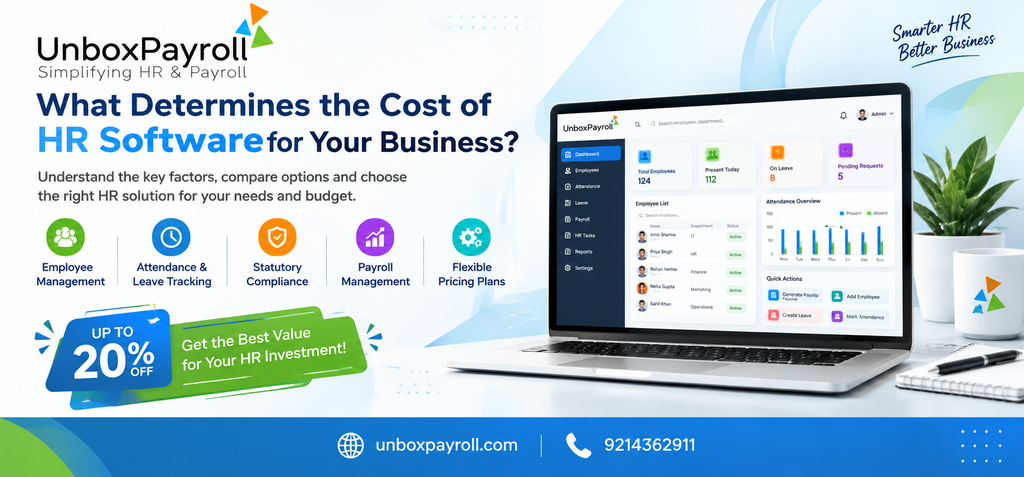
Two businesses can need HR software for completely different reasons. One may want to simplify salary processing and generate payslips. Another may need employee records, attendance tracking, leave approvals, payroll reports and employee self-service in one system. Their software requirements—and the amount they should budget—may therefore differ considerably.
The cost of HR software depends on several factors, including employee count, the features included in a plan, payroll complexity, implementation requirements, integrations and ongoing support. The advertised subscription price is only one part of the decision.
For businesses comparing hr software pricing in Jaipur, the useful question is not simply which provider charges less. It is which solution covers the processes the business needs at a reasonable overall cost, without paying for unnecessary features or creating additional administrative work.
Why HR Software Prices Vary Between Businesses
HR software is not a single, standardized product. Some platforms focus on employee information and basic HR administration, while others combine HR management, attendance, payroll processing, reporting and employee self-service.
A business with a small workforce and straightforward salary structures may require only a few core functions. A growing company with variable earnings, several departments or more complex approval processes may need additional configuration and reporting capabilities.
Pricing can also differ according to how a provider charges. Some use employee-based subscriptions, some offer plans with defined feature limits, and others provide customized packages based on the organization’s requirements.
Before comparing providers, prepare a list of the tasks you want the software to handle. This gives you a practical basis for evaluating the quoted price.
7 Factors That Determine HR Software Pricing
1. Number of Employees
Employee count is one of the first things to check when comparing software plans. Some providers charge according to the number of employees covered, while others use fixed subscription tiers or customized pricing.
A smaller team may fit comfortably within an entry-level plan. As the workforce grows, the business may move into a higher tier or incur additional per-employee charges.
However, employee count alone does not determine the value of a solution. A company with fewer employees but complicated payroll requirements may need more functionality than a larger organization with straightforward processes.
What to ask the provider:
- Is pricing based on active employees, total employee records or another measure?
- What happens when the employee count increases?
- Are there minimum employee commitments?
- Can the plan accommodate seasonal changes in workforce size?
These questions help prevent unexpected subscription changes as the business grows.
2. Features Included in the Plan
The available features have a direct influence on the usefulness and potential cost of an HR software package.
Basic plans may focus on employee information and routine HR tasks. More comprehensive packages may include attendance tracking, leave management, payroll processing, payslip generation, employee self-service and reporting.
Businesses should distinguish between features they genuinely need and features that are simply attractive in a product demonstration.
For example, a company that regularly spends hours reconciling attendance records before salary processing may benefit from suitable attendance and payroll capabilities. If it rarely needs advanced analytics, paying extra for extensive reporting functions may not be worthwhile.
When evaluating the best payroll Price in Jaipur, compare the complete set of included features rather than judging a plan by its starting price alone.
3. Payroll Complexity
Payroll requirements can vary substantially from one organization to another.
Some businesses have stable monthly salaries and a limited number of deductions. Others manage multiple salary structures, variable earnings, incentives, attendance-based adjustments, employee advances and different deduction rules.
The more complex the payroll process, the more important it becomes to verify that the software supports the required configuration and review procedures.
Check whether the product can manage your salary components, earning and deduction heads, payslips and required payroll reports. If your business has specific statutory or tax-related needs, confirm the relevant capabilities with the provider rather than assuming they are included in every package.
A suitable payroll solution should help organize recurring work while allowing authorized personnel to review calculations before salaries are finalized.
4. Implementation and Data Migration
The subscription fee may not cover all the work required to introduce a new system.
Implementation can involve setting up employee records, configuring salary structures, defining leave policies, establishing approval workflows and training users. If the business is moving from spreadsheets or another platform, existing records may also need to be cleaned and migrated.
Some providers include basic setup in their plans, while others charge separately for implementation or specialized assistance.
Before signing up, ask what the implementation process covers and whether additional charges apply to data migration, configuration or training.
It is also worth estimating the internal time required from HR, finance and management. Even when no separate setup fee is charged, employees will need time to prepare records, test processes and learn the new system.
5. Integrations and Additional Modules
Businesses may already use attendance devices, accounting applications, banking workflows or other business systems. They should check whether the selected HR software works with the tools they rely on.
Some integrations may be included in a package, while others may require additional configuration, a separate module or a custom arrangement.
The same applies to specialized functions. A business may need particular reporting capabilities, approval workflows or employee-management modules that are not available in its chosen plan.
Do not assume an integration exists simply because the vendor advertises a broad feature set. Ask the provider to demonstrate the specific connection or workflow you need and clarify any additional charges.
6. Customer Support and Training
The quality and availability of support can influence the overall value of HR software.
During initial setup, employees may need help understanding workflows, correcting records and configuring payroll components. Later, the business may need assistance when policies change or a new reporting requirement arises.
Compare what each provider offers, including:
- Support channels and operating hours.
- Included onboarding and training.
- Access to documentation and guidance.
- Charges for additional training or implementation support.
- The process for reporting and resolving technical issues.
For businesses in Jaipur, clarify whether support is provided remotely, on-site or through a combination of methods. Do not assume local on-site assistance is included unless the provider confirms it.
A lower subscription fee may be less attractive if essential support or training requires substantial additional spending.
7. Security, Recordkeeping and Future Growth
HR and payroll systems store sensitive employee and salary information. Businesses should understand how a provider manages access, protects records, handles backups and supports data export.
Ask about user permissions, account security, data retention, backup arrangements and the process for retrieving records if you eventually change providers.
Growth is another important consideration. A business may begin with a small team but later require additional users, more structured workflows or expanded reporting. Compare how the provider handles upgrades and whether pricing changes as requirements increase.
Choosing a system that can accommodate realistic future needs may help avoid the expense and disruption of replacing it prematurely.
How to Compare HR Software Costs Effectively
A useful comparison considers both the amount paid and the work the software can support.
| Cost area | Questions to ask |
| Subscription | Is billing monthly, annually or according to another arrangement? |
| Employee limits | How does the fee change as the workforce grows? |
| Features | Are payroll, attendance, leave and reporting included? |
| Setup | Are implementation, configuration and data migration charged separately? |
| Integrations | Are required connections included or billed separately? |
| Training and support | What assistance is included in the quoted price? |
| Upgrades | What happens when the business needs additional features? |
| Data handling | Can records be retrieved and exported when needed? |
Once you have these answers, compare providers using the same set of requirements. This makes it easier to identify whether a lower quote reflects genuine savings or simply excludes functions your business will eventually need.
What Is the Difference Between Subscription Price and Total Cost?
The subscription price is the recurring amount charged for using the software. The total cost of ownership includes other expenses associated with introducing and maintaining the system.
Depending on the provider and the organization’s needs, the total may include:
- Subscription charges over the chosen period.
- Setup, configuration and migration expenses.
- Additional modules or integrations.
- Training and ongoing support.
- Internal staff time spent on implementation and administration.
Consider two hypothetical plans. One has a lower subscription but charges separately for a required module and initial configuration. The other has a higher subscription but includes those services. The second plan may offer better overall value, depending on the contract terms and the business’s actual requirements.
This is why businesses comparing best payroll cost in Jaipur should request a written breakdown of the full expected cost, rather than relying only on an advertised starting price.
What Should Jaipur Businesses Consider Before Choosing a Plan?
Businesses operating in Jaipur may have different needs depending on their workforce, industry and payroll processes. A small office-based company may prioritize employee records and basic salary processing, while a growing business with shift-based employees may place greater importance on attendance reconciliation and reporting.
Before requesting a quote, document the following:
- The number of employees who will use or be managed through the system.
- The HR and payroll tasks currently handled manually.
- The salary components and deductions used by the organization.
- The attendance, leave and approval processes that must be supported.
- The reports required by HR, finance and management.
- Any specific integrations or statutory reporting capabilities that need to be verified.
This information helps providers recommend a plan based on actual requirements. It also reduces the risk of buying an unnecessarily complex package or choosing a low-cost option that cannot support essential tasks.
For companies researching Online best payroll Price in Jaipur, online access should be considered alongside usability, security, support and the features included. Confirm how employees and administrators access the system, what safeguards are available and whether the product supports the company’s working arrangements.
How Unbox Payroll Fits into Your Evaluation
Unbox Payroll offers HR and payroll capabilities that businesses can assess against their operational requirements. Its published features include payroll processing, employee data management, attendance tracking, leave management, employee self-service, reporting and payroll-related records.
These capabilities may be relevant to organizations looking to organize HR administration and salary processing in a more structured way.
When assessing Unbox Payroll or any other provider, confirm which features are included in the plan suitable for your business, what implementation assistance is available and whether any additional modules or services affect the total cost.
Common Pricing Mistakes to Avoid
Choosing the cheapest plan without checking its limits. A low entry price may exclude features that your team needs for regular payroll processing Know More .
Paying for unused functionality. Advanced tools do not provide much value if your organization has no practical use for them.
Ignoring setup expenses. Migration, configuration and training can affect the total cost even when the subscription looks affordable.
Overlooking employee growth. Check how pricing changes when more employees are added or additional modules become necessary.
Failing to verify support arrangements. Confirm what assistance is included before relying on a provider for implementation or ongoing issues.
Comparing different packages as if they were equivalent. Use the same requirements and cost categories for every quotation to make a fair comparison.
Conclusion: Choose Value, Not Just a Low Price
The cost of HR software depends on employee count, feature requirements, payroll complexity, implementation, integrations and ongoing support. The right solution should cover the processes your business needs without creating unnecessary expense or administrative work.
For businesses comparing hr software pricing in Jaipur, the best approach is to document your requirements, obtain clear quotations and compare the total expected cost over a realistic period.
Unbox Payroll is one option to evaluate as part of this process. Review its published capabilities, confirm the current pricing and ask for a demonstration if you need to see how the platform fits your workflow.
Frequently Asked Questions
1. What factors affect the cost of HR software?
The main factors include employee count, available features, payroll complexity, implementation, data migration, integrations and support. Pricing models also differ between providers. Businesses should compare the total cost of the plan they actually need rather than relying only on a starting subscription price.
2. Is payroll software priced per employee?
Some providers charge according to employee count, while others use fixed subscription tiers or customized packages. The exact model depends on the vendor. Before choosing a plan, ask how employee numbers are calculated, whether minimum commitments apply and how the fee changes as the workforce grows.
3. How can a business estimate its HR software budget?
Start by listing the required features, employee count, payroll needs and integrations. Request written quotations that separate recurring subscription charges from setup, migration, training and additional modules. Compare the expected cost over the same period for every provider so the options can be evaluated consistently.
4. Is a more expensive HRMS always better?
No. A higher price may reflect additional features or services, but those features may not be useful to every business. Evaluate whether the software supports your required workflows, reporting, security and growth plans. The best-value option is the one that meets your needs at a justifiable total cost.
5. What should Jaipur businesses check before buying online payroll software?
Businesses should verify the included payroll features, employee limits, data protection arrangements, support availability, setup requirements and total charges. They should also confirm that the system supports their salary structures, attendance processes and applicable compliance requirements before committing to a plan.
6. Does HR software pricing include implementation and support?
Not always. Some packages include basic onboarding and support, while others charge separately for configuration, data migration, training or specialized assistance. Ask the provider for a written breakdown of what is included, what costs extra and whether renewal or upgrade terms may change the total expense.